Tycoon Secrets — how to open both houses walkthrough
Learn **how to open House 1** and **House 2** in Secrets Tycoon: meet the Money + Secrets purchase signs, buy the plot houses, then clear the **Find the buttons** wall puzzle so both doors open.
What “Open House” Means in Tycoon Secrets
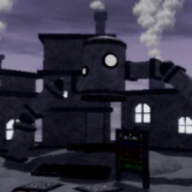
Players searching how to open house 1 in tycoon secrets or buttons to open house 2 are usually stuck on the same two-step loop in Nil Creations Tycoon Secrets. First you must buy the house structure when the roadside sign shows your Money and Secrets totals are high enough. Second you must open the locked door by finding a set of world buttons — the wall often literalizes the job with the phrase Find the buttons above four grey indicator squares.
This is not the FruitWorks Secrets Tycoon [Beta] (FruitWorks) “walk into The House” tutorial interior. White Palace / late-map house plots are purchase-gated buildings with their own open puzzles. Treat Beta House plaques (A→B→C→D Brick Upgrader, bed monster Puzzler) as a different page of content — link those from the all secrets list and the beginner guide.
Community clips at mid-Index (around the low-40s of 95 secrets) show players who already bought two houses still blocked at the door. Buying ≠ opening. If your chat is “how do I open both,” you finished step one and still need the button hunt.
Step
What you do
Pass signal
1 · Buy
Meet Money + Secrets on the house sign
House appears / purchase succeeds
2 · Open
Find every wall/map button for that house
Door unlocks · indicator squares fill
3 · Confirm
Enter and scan Index / new props
Interior usable · new secret rows nearby
Buy Gates: Money + Secrets Signs
Before any button hunt, walk the house plot until you see a requirements sign. Community-reported House 2 Requirements read Secrets: 14 and Money: 70,000. A later House 4 style sign shows a much higher Money gate around 700,000 plus a Secrets threshold — treat the live sign as truth after patches around July 26, 2026.
Bank with the Blue Button before shopping so AFK income does not desync the purchase UI. If Secrets sit one short of the gate, stamp an Easy neighbor such as Welcome Home or Owch instead of grinding coins alone — many house signs demand both currencies.
After purchase, the building shell appears but the door may stay locked with the Find the buttons prompt. Do not refund or rebuy; start the open loop.
House cue
Community-reported gate
Tier
House 2 Requirements
Secrets 14 · Money 70,000
A
House 4 / late plot
Higher Secrets · Money ~700,000
S
House 1 early plot
Lower dual gate — read live sign
B
Do01Read the exact Secrets + Money numbers on the plot sign.
Do02Blue Button bank, then buy once totals clear both columns.
Do03Confirm the house shell spawned before hunting buttons.
Do04Open Index so new area-linked rows are visible.
Open Loop: Find the Buttons
On locked house walls, look for the white instruction Find the buttons above a row of small grey squares (community footage shows four indicators). Each square tracks one button you still need. Click or touch interactable pads, panels, or floor switches around that house courtyard — not Green Button cipher text unless the Index row explicitly asks for a typed code.
Sweep methodically: front door frame, side walls, roof lip, courtyard floor decals, and nearby White Palace pillars. Coils help reach roof buttons but are optional. Close Shop and Index overlays so mobile taps register on thin pads.
When every indicator fills, the door opens. Enter, scan for interior secrets (plaques, under-furniture triggers), and tick progress on the secret checklist. If two bought houses both stay locked, repeat the button hunt per building — shared courtyard buttons sometimes feed only one house’s indicator row.
Hunt zone
What to click
Fail note
Door wall
Panels under Find the buttons text
UI open blocks taps
Courtyard floor
Dark pads / star decals
Sprint past without click
Roof / sill
Edge buttons needing jump
Need coil or careful climb
Neighbor pillars
White Palace side switches
Wrong house indicator row
Do01Photograph or count the grey indicator squares before hunting.
Do02Clear UI, then click every candidate pad once.
Do03Watch indicators fill after each successful click.
Do04Enter only after the door animation / unlock cue.
Do05If two houses stay shut, finish each house’s own button set.
Best pairings for this guide
Matched by build plan, shared topics, and guide progression — not random related links.
House 1 searches often mean the first purchasable plot on your unlock path — lowest dual gate, simplest Find the buttons layout. Finish it before stacking two locked shells you cannot open.
House 2 is the Bing-visible mid gate (14 Secrets / 70k Money in community reports). Players who “bought both” usually mean House 1 + House 2 and still need separate button clears.
Later houses (House 4 class) demand Serious Money and denser Secrets. Pair those sessions with codes cryptography nights and Greenhouse prep so your Index percentage climbs while you farm the cash column.
Player question
Likely stuck on
Fix
How to open house 1
First buy gate or first button set
Read sign · Find the buttons
House 2 buttons
Four-indicator wall after buy
Courtyard + roof sweep
Open both houses
Two independent button sets
Finish indicators per door
Common Mistakes
Confusing buy with open: Purchase success does not unlock the door. Look for Find the buttons before assuming a bug.
Wrong experience: Beta The House walk-ins will not match White Palace purchase signs. Confirm Nil Creations [95] Tycoon Secrets Roblox.
UI covering pads: Replacement Chat focus and Shop panels eat mobile clicks on thin buttons.
Sharing one button set across two doors: Each house tracks its own indicator row. Opening one does not auto-open the other.
Mistake
Tier
Fix
Bought but door locked
A
Start Find the buttons hunt
Beta House confusion
B
Switch to Nil [95] build
Menus open
B
Close UI before clicking pads
Only one of two opens
A
Repeat button set for second house
Avoid01Never refund a house because the door is still locked.
Avoid02Never ignore the grey indicator count.
Avoid03Never hunt Green Button ciphers for a Find the buttons wall unless Index says so.
Mobile vs PC Button Hunting
Tycoon Secrets Roblox house pads are thin. On mobile, release the joystick before tapping so you do not slide off the switch. Double-tap drop (Nil tip for inventory items) can shove you away from a roof button — empty hands when hunting high pads.
On PC, zoom out to spot grey indicator squares and glowing window cues that mark the correct wall. Shift-lock helps keep facing a side pad while you click. Either platform: after each successful click, glance at the indicator row before moving — it is easy to miss a fill in fog.
If White Palace team toasts appear while you hunt, you are in the right district. Use that confirmation when two similar marble shells sit side by side and you are unsure which door owns which Find the buttons plaque.
Platform
Risk
Fix
Mobile
Joystick drift
Stop moving, then tap
Mobile
Double-tap drop
Clear hotbar on roofs
PC
Missed indicator fill
Zoom out after each click
Either
Wrong house wall
Match plaque to the door you bought
After the Doors Open
Interior props may unlock Easy/Medium Index rows tied to that house. Cross-check the secrets database and mark finds on the checklist. Roof access also helps later White Palace stamps such as Welcome Home if you have not finished that doorway yet.
When both doors stay open, pivot to Hard House puzzles on the same desk: the UFO walkthrough for monitor texture clues and the Craftsman walkthrough for shelf-corner taps. Those rows share the computer room — finish Open House first so interactions register.
Economy tip: opened houses often sit near income boosters or leaderboard props. Rebuild your belt, then rotate to Greenhouse when Secrets count approaches the garden purchase gate, or the Haze Subrealm guide once your mid Index supports the Jul 2026 fog expansion.
FAQ
How do I open House 1 in Tycoon Secrets?
Meet the plot’s Money + Secrets buy sign, purchase the house, then complete its Find the buttons indicator set (community-reported four-button walls). Buying alone does not open the door.
Where are the buttons for House 2?
Around that house’s courtyard, door wall, roof, and nearby pillars. Watch the grey squares under Find the buttons fill as each pad clicks. Exact studs are community-reported and can move in patches.
I bought both houses — why are both locked?
Each house needs its own button set. Finish indicators on the first door, then repeat for the second. Shared courtyard clicks may only fill one row.
What are House 2 requirements?
Community reports show Secrets: 14 and Money: 70,000 on the House 2 sign. Always trust the live in-game numbers after updates.
Do I need coils to open houses?
No. Coils only help reach roof buttons. Most Find the buttons pads sit on walls and courtyard floors you can reach with normal jumps.
What does Find the buttons mean?
It is the on-wall instruction for the open phase after purchase. Grey squares under the text track how many interactable pads you still need for that house door.
More guides that pair well
Matched by build plan, shared topics, and guide progression — not random related links.